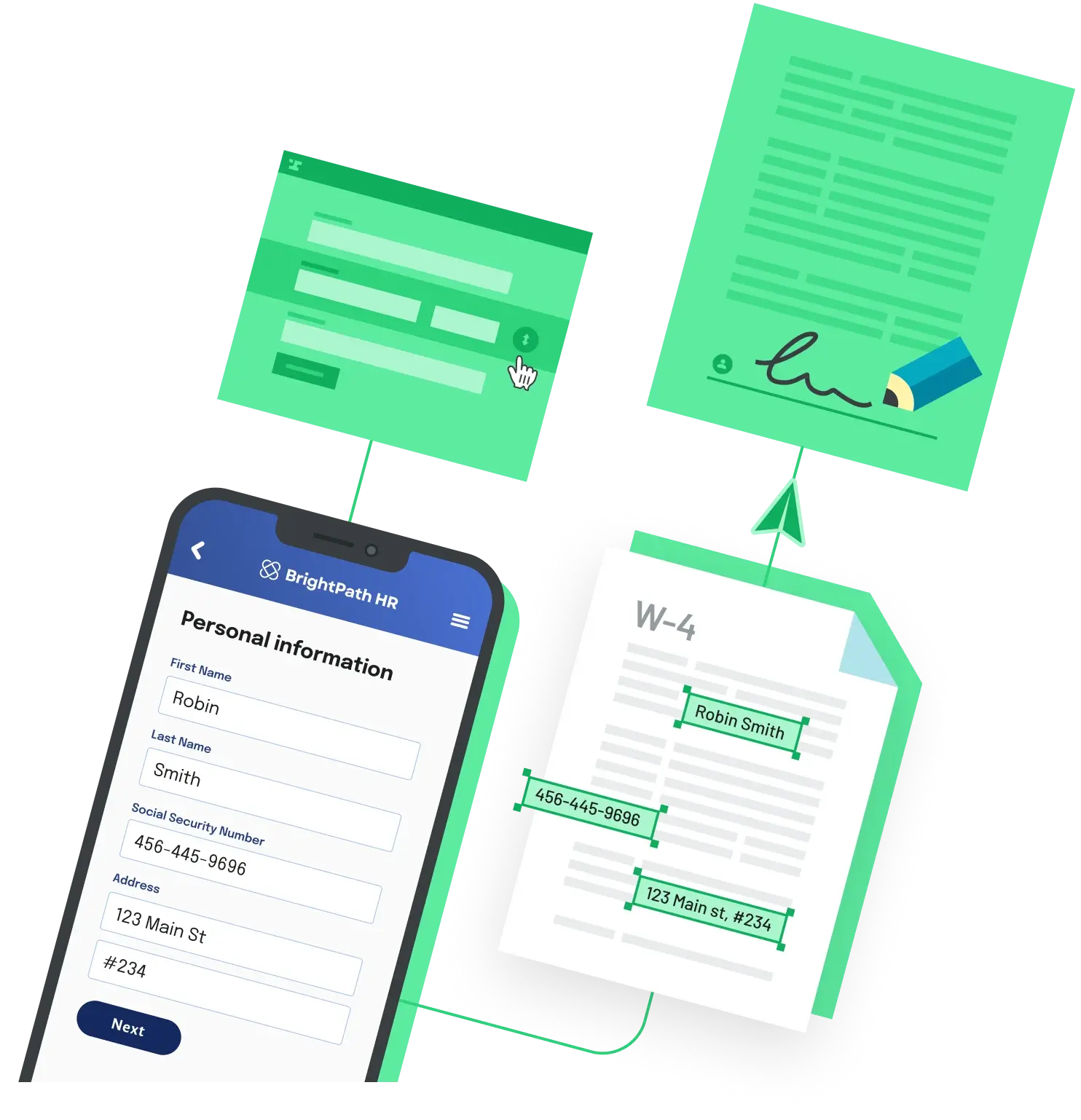
Onboarding still runs on PDFs – offer letters, I-9s, W-4s, direct deposit forms, benefits enrollment, equipment policies. Most of those PDFs were designed for letter-sized paper, not a phone. The problem isn't getting them onto a phone; it's getting a new hire to actually finish them on a phone without errors. The fix is architectural: stop showing the PDF directly during fill, and assemble the signed PDF on the server only after the data and signatures are in.
Why "the PDF on a phone" is the wrong frame
Native mobile PDF readers can render fillable form fields, but the real-world experience is hostile. Fields are sized for a mouse, the keyboard covers half the page, signature boxes are smaller than a fingertip, and any conditional logic baked into the PDF ("only fill section B if you're a contractor") is invisible to the user. New hires complete onboarding paperwork on their phones the way they complete everything else on their phones – through web forms designed for touch – and the document is generated for them in the background.
The pattern every modern onboarding flow converges on is the same: a responsive intake form on the phone, server-side PDF generation, and a mobile-optimized signing surface that captures intent and produces a tamper-evident audit trail.
The four moving parts
Whether you build, buy, or stitch this together, every mobile onboarding fill-and-sign workflow has the same four stages:
- Mobile-friendly intake. A responsive web form rendered on the phone that maps one-to-one to PDF fields. The user never sees the PDF during fill.
- Prefill from a system of record. Pulling employee data from your HRIS, ATS, or offer letter system so the new hire isn't retyping their own name, address, and start date.
- Embedded mobile e-signature. A signing surface that is itself responsive – large tap targets, drawn-or-typed signature, no PDF download required.
- Audit trail and routing. A timestamped, IP-logged record of who signed what, plus delivery of the executed PDF back to the HRIS or document store.
Step 1 – Replace direct PDF interaction with a responsive form
Take each onboarding PDF and produce a corresponding intake schema – every field a new hire would otherwise tap directly on the PDF becomes a typed input in a web form. The form is what renders on the phone. The PDF is filled server-side from the form's structured payload.
This step is the single biggest mobile completion-rate lift, and it is also where vendor approaches diverge. HRIS-native onboarding tools come with HR-specific intake forms out of the box (an I-9 looks like an I-9, a W-4 looks like a W-4). General-purpose e-signature tools build the form from PDF field overlays, which can still feel like a PDF on a phone unless you carefully tune field sizing. Document automation APIs let you generate the form from the PDF schema and host it on your own onboarding page so it inherits your design system.
Step 2 – Prefill from your HR system
A common reason new hires abandon mobile onboarding is being asked to retype information their employer already has. Names, addresses, start dates, department, manager, employment type, and tax classification should be passed in as initial values when the form loads, not collected fresh.
If your data lives in an HRIS or ATS, the prefill is usually a webhook or scheduled sync that creates an onboarding packet keyed to a candidate or employee record. If you're embedding fill-and-sign in your own portal, the same prefill is a JSON payload sent to the PDF API at packet creation time. The user opens the link from their phone and the form appears already partially complete, with only the new-hire-specific fields left to fill.
Step 3 – Embed a mobile-optimized e-signature
Once the form is complete, the back end fills the templated PDF and presents the signing step. On a phone this should mean a full-screen signature pane with a finger-drawn or typed signature, not a tap on a small box inside the PDF. Most modern e-signature platforms ship a mobile-optimized signing surface; the question is whether you're embedding that surface inside your own onboarding flow or sending the new hire to the vendor's branded site.
In the United States, signatures captured this way are governed by the federal ESIGN Act (signed in 2000) and the state-level Uniform Electronic Transactions Act (UETA), both of which treat electronic signatures as legally equivalent to handwritten ones. In the EU, the eIDAS Regulation provides comparable coverage, with stricter "qualified" tiers required by member-state law for specific high-stakes transactions. For HR onboarding documents – offer letters, I-9s, W-4s, employee handbooks – the standard electronic-signature tier is what most platforms sell and what is widely used.
Step 4 – Audit trail, storage, and HRIS sync
The signed PDF is the payroll-and-legal artifact, but the audit trail is what makes it defensible. Whatever you use should produce a per-document log capturing the signer's email, IP address, user agent, and timestamps for every send, open, and sign event – separate from the PDF and tamper-evident in its own right. For HIPAA-adjacent onboarding (healthcare and benefits) the platform should also support a Business Associate Agreement and encrypted document handling at rest and in transit.
After execution, the file needs to land somewhere the rest of HR can use it: an HRIS document tab, a Google Drive or SharePoint folder, or a row in an internal employee table. This is webhooks territory – most onboarding platforms emit a packet-completed event with a download URL for the signed PDF and the audit trail.
Three archetypes for buying or building this
HRIS-native onboarding. Modern HRIS suites (for example, BambooHR and Rippling) bundle onboarding flows alongside the rest of the employee record. Best fit when the new hire's primary relationship with the company is the HRIS itself and document fidelity is secondary to a single HR home base.
General-purpose e-signature with mobile flows. Several general-purpose e-signature platforms – Anvil, DocuSign, Adobe Acrobat Sign, Dropbox Sign, SignNow, and Jotform Sign among them — let recipients open and sign agreements from a phone, tablet, or desktop. Best fit when HR owns the workflow end-to-end inside an e-signature vendor and the documents need to look pixel-perfect to a specific master template.
Document automation API. If onboarding is a feature of your own portal – a contractor marketplace, a labor platform, or a benefits product – building on a document automation API like Anvil lets you keep the new hire inside your branded experience, prefill PDFs over the API, and gather e-signatures in the same flow. Anvil Webforms render mobile-friendly intake from any PDF template, and Etch E-sign handles the signing layer. Anvil's metered API is $0.10 per PDF fill or generation, $1.50 per integrated Etch e-sign packet, and $1.00 per integrated Workflow submission, with a free tier covering 2 users and unlimited templates; full pricing is published. SOC 2 Type II, GDPR, eIDAS, and HIPAA (with BAA on Enterprise) are covered.
A mobile UX checklist regardless of vendor
- The new hire never sees a raw PDF until after signing – fill happens through a responsive web form.
- Forms are prefilled from the HRIS or ATS so the new hire is editing rather than typing from scratch.
- The signing surface is full-screen on the phone with a finger-drawn or typed signature – no in-PDF tap targets.
- The audit trail is a separate, tamper-evident log capturing IP, email, user agent, and event timestamps.
- Completed packets are pushed to the HRIS or document store via webhook – not retrieved by HR clicking through a portal.
- For HIPAA-adjacent or international hires, BAA support and eIDAS-compliant e-signature tiers are confirmed before launch.
The architecture is the same regardless of which archetype you pick. The new hire gets a link, taps it on their phone, fills a clean form, signs once, and sees a confirmation. The PDF, the audit trail, the HRIS update, and the legal binding all happen in the background – which is exactly where they belong on a 6-inch screen.
Back to All Questions