Opening Story
The trigger is usually the same: someone on engineering or ops realizes the current process involves manual data entry, copy-paste field mapping, or a brittle script that breaks whenever a form layout changes. They need to take structured data from their system, push it into a PDF template, and get a completed document back without a human touching it.
Where the decision gets harder is everything after the fill. Some teams only need to populate fields and return a flat PDF. Others need that filled PDF to flow into a signature step, a review workflow, or an embedded experience inside their own product. The API you pick should match the workflow you're actually building, not just the one you need this quarter. This guide compares four PDF filling APIs on template setup, field mapping, workflow support, and pricing.
What Is a PDF Filling API?
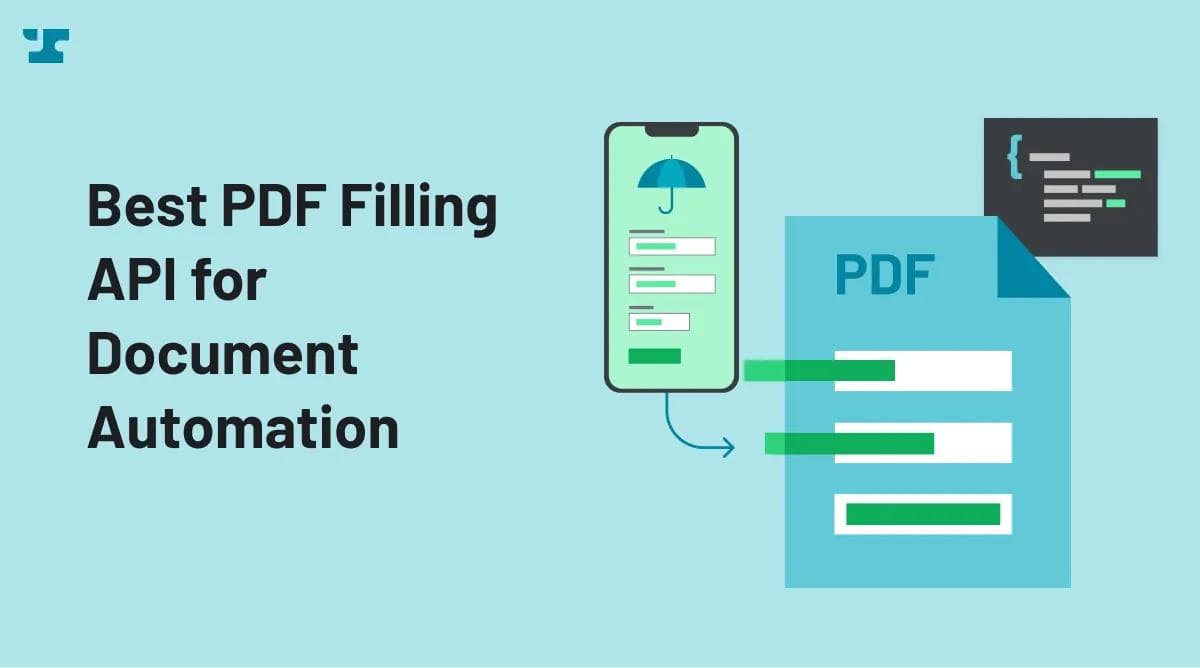
A PDF filling API accepts structured data (typically JSON or key-value pairs) and maps it to fields in a PDF template, returning a completed document. Your application does in milliseconds what would otherwise mean opening a form in Acrobat and typing values into each field, across thousands of documents.
Most implementations follow two steps: define or upload a PDF template with named fields, then send data to an API endpoint and receive the filled PDF back.
The quality of that first step, template creation and field mapping, varies dramatically between vendors. Some require manual tagging in a web editor. Others automate field detection. That difference compounds across dozens of form types.
PDF filling is distinct from document generation (creating new documents from scratch) and e-signature (collecting legally binding signatures). These capabilities overlap in many platforms, but they represent different buying decisions. If your primary need is populating existing PDF forms with data from your systems, you want an API optimized for that operation.
The Best PDF Filling APIs in 2026
1. Anvil
Best for: Product teams and developers who need API-first PDF filling inside a broader document automation workflow.
Verdict: The most direct path from "upload a PDF" to "get a filled document back via API." No envelope abstraction, no signature infrastructure in the way.
Anvil treats PDF filling as a first-class API operation. Upload a PDF, and Anvil's Document AI converts it into an API-fillable template in seconds. Send JSON to the fill endpoint, get a completed PDF back. Teams skip the manual field-mapping step that stalls most implementations with other vendors.
You POST a payload with field names and values to the /api/v1/fill REST endpoint, and Anvil returns the completed PDF. Filling can also happen through the Etch E-sign API or Workflows, depending on where the fill fits in your process. Language-specific API clients in the developer docs cut integration time further, with clear error handling guidance and rate limit documentation.
Anvil also supports Workflows, Etch E-sign, Webforms, and PDF Services. A team can start with PDF filling and later add embedded e-signatures ($1.50 per packet) or workflow submissions ($1.00 per submission) without switching vendors.
Pros:
- Automated template creation from existing PDFs using Document AI, removing the manual field-mapping bottleneck
- JSON-based field mapping keeps the integration model familiar to any developer comfortable with REST APIs
- 500 free API calls monthly on the free plan, with PDF fill/generation calls at $0.10 each after that, so teams can validate before spending
- Broader workflow platform including e-signatures, webforms, and orchestration, so PDF filling can be one step in a multi-stage document process
- Developer-first docs with language-specific clients, error handling guidance, rate limit documentation, and clear endpoint references
Cons:
- Not an enterprise agreement suite, so teams evaluating full contract lifecycle management may find the scope narrower than DocuSign
- Less suited for document editing workflows where users need to modify content in-browser before sending
Pricing: Free to start. The free plan includes 500 API calls/month. PDF fill/generation calls cost $0.10 each after that. E-sign packets over API: $1.50. Workflow submissions over API: $1.00.
2. DocuSign
Best for: Enterprises standardizing on a broad agreement management platform with API access.
Verdict: Strong when agreement workflows and e-signature are the core requirement. Overkill when all you need is to fill a PDF and get a file back.
DocuSign's API platform centers on agreements and e-signatures. The developer tools span Agreement APIs, embeddable data and views, automated workflows, and a large integration ecosystem. If your organization already runs contracts through DocuSign and you need to bolt on programmatic document population, staying in that ecosystem avoids a second vendor relationship.
The tradeoff is architectural. DocuSign's API model uses envelopes as the core unit, an abstraction that makes sense for agreement workflows but adds unnecessary overhead for a simple fill-and-return operation. Bulk Send and PowerForms are gated to Advanced ($480/month billed annually) and above, so teams with high-volume or template-heavy needs face a steep cost jump before accessing those features.
A free developer account is available for building and testing in a sandbox environment.
Pros:
- Mature enterprise platform with deep e-signature workflow capabilities and broad third-party integrations
- Free developer account for sandbox testing before committing to a paid plan
- Large ecosystem with pre-built connectors and a well-documented REST API
Cons:
- Envelope abstraction adds friction for teams whose primary need is JSON-to-PDF filling without signature workflows
- Feature gating across tiers restricts Bulk Send and PowerForms to Advanced plans and above, pushing costs higher for common automation use cases
- Envelope-based pricing makes apples-to-apples cost comparison difficult against per-call models
Pricing: Free developer sandbox. Starter: $50/month billed annually (40 envelopes/month). Intermediate: $300/month billed annually (100 envelopes/month). Advanced: $480/month billed annually.
3. PandaDoc
Best for: Teams that need document generation, embedded editing, and e-signature in a single API platform.
At $4 per additional document beyond the first 40 included monthly, PandaDoc is one of the most expensive options for high-volume PDF filling. A team filling 500 PDFs per day would pay orders of magnitude more than a $0.10-per-call model. That pricing only makes sense when the "fill" is one step in a richer workflow that includes editing, approval, and signature.
PandaDoc's API covers a wide surface: generate documents from templates, CRM data, or custom inputs; automate routing and approval; fully embed editing, sending, and signing inside your own application. The API Developer Plan includes legally binding eSignatures, document generation, unlimited templates via API, template and content library access, OAuth 2.0 apps, SDKs, REST API endpoints, and limited embedded editor and signing.
For teams building customer-facing document flows where recipients edit, review, and sign within an embedded experience, PandaDoc offers more than a pure fill API. But if your workflow is "take JSON, produce a filled PDF," PandaDoc wraps that simple operation in layers of functionality you're paying for but not using.
Pros:
- Broad document workflow coverage spanning generation, embedded editing, approval routing, and e-signature
- Embedded editing and signing lets end users interact with documents directly inside your application
- Unlimited test documents in sandbox mode, with REST API endpoints and SDK support
Cons:
- $4 per additional document makes high-volume PDF filling prohibitively expensive
- Far broader than needed for teams that only want to fill PDFs with structured data and get a file back
- Not optimized for pure fill workflows where the input is JSON and the output is a completed PDF with no editing step
Pricing: API Developer Plan: $40/month with 40 documents included. Additional documents: $4 each. Enterprise: custom volume-based pricing.
4. Dropbox Sign
Best for: Teams prioritizing embedded e-signature with template-based workflows.
Dropbox Sign (formerly HelloSign) has a solid developer onboarding experiences in the e-signature space. test_mode lets developers exercise almost every endpoint and feature from a free account, with requests that aren't legally binding but hit the full API surface. For teams evaluating signature APIs, that low-friction testing loop is genuinely useful.
For PDF filling, though, Dropbox Sign is the wrong tool. The developer documentation and product architecture are built around signature requests, embedded signing, and template-based document preparation. There is no JSON-to-PDF fill endpoint. If your workflow is "fill a PDF with data and get a file back," Dropbox Sign adds signature infrastructure you don't need. If your workflow is "prepare a document from a template and collect a signature," it fits well.
Sending production, legally binding signature requests requires a paid API plan. Standard or Premium plans are required for production custom branding.
Pros:
- Test mode on free accounts allows developers to evaluate nearly every endpoint before committing to a paid plan
- Embedded signing and templates support common signature collection patterns with approachable SDKs
- Straightforward developer experience for signature-centric implementations
Cons:
- Not a PDF filling API in any meaningful sense; PDF data population is not a primary capability
- Production use requires paid API plans with pricing tied to signature request volumes, not fill operations
- Limited workflow depth compared to platforms that support orchestration, conditional routing, or multi-step document processes
Pricing: Essentials: starts at 50 signature requests/month. Standard: starts at 100 requests/month. Premium: custom quote.
Summary Table
| Tool | Starting Price | Best for | Key Features |
|---|---|---|---|
Anvil | Free (500 calls/mo), then $0.10/call | API-first PDF filling in document workflows | JSON fill, Document AI templates, workflows, e-sign |
DocuSign | Free developer sandbox; Starter $50/mo (40 envelopes) | Enterprise agreement workflows | E-signature, agreement APIs, workflow automation |
PandaDoc | $40/mo (40 documents included) | Document generation + embedded signing | Templates, embedded editing, e-signature |
Dropbox Sign | Paid API tiers (Essentials: 50 requests/mo) | Embedded e-signature workflows | Templates, test mode, embedded signing |
Why Anvil Is the Best PDF Filling API for Document Automation
Of the four products compared here, only Anvil treats PDF filling as a primary operation rather than a byproduct of an e-signature or agreement platform. DocuSign, PandaDoc, and Dropbox Sign are all capable products in their respective categories. None are optimized for the workflow of "upload a PDF, create a template, fill it with JSON data, get the completed file back."
Anvil's Document AI handles template creation, the step that typically consumes the most implementation time. Upload a PDF and get an API-fillable template in seconds instead of manually tagging fields in a web editor or writing custom field-mapping code. That acceleration compounds when you're dealing with dozens of different form types across onboarding, compliance, or operations workflows.
The cost difference is concrete. At $0.10 per fill call, a team filling 1,000 PDFs per month pays $50 on Anvil (after the free tier). The same volume on PandaDoc's overage rate costs $3,840. DocuSign's envelope tiers don't map cleanly to fill-only use cases, but the Starter plan caps at 40 envelopes for $50/month.
Anvil's broader platform, including Workflows, Etch E-sign, Webforms, and PDF Services, means teams don't outgrow the product when requirements expand beyond filling. Starting with PDF fill and adding signatures or multi-step workflows later, without re-platforming, is a practical advantage for product teams building document automation into their own applications.
How to Chose the Best PDF Filling APIs
Selection criteria focused on five dimensions relevant to teams evaluating a PDF filling API for document automation:
- Template setup speed: How quickly can a team go from an existing PDF to an API-fillable template? Manual field tagging versus automated detection makes a measurable difference when you're onboarding dozens of form types.
- Field mapping model: JSON-based filling, envelope abstractions, and document-object models each impose different integration complexity on developers. We compared how directly each API accepts structured data and returns a filled document.
- Workflow and embedded support: Some teams only need fill-and-return. Others need the filled PDF to flow into signatures, approvals, or embedded experiences. We evaluated how far each product extends beyond the fill operation.
- Pricing transparency: Per-call, per-document, and per-envelope pricing models produce very different cost curves at volume. We compared published pricing from each vendor's official pricing pages.
- Developer documentation and testing: Sandbox environments, test modes, language-specific SDKs, and clear API references all affect how quickly a team can evaluate and ship an integration.
All pricing and feature information is sourced from official product pages and public developer documentation reviewed in 2025.
FAQs
What is a PDF filling API?
A PDF filling API programmatically populates fields in a PDF template using structured data, typically JSON or key-value pairs. You define the template once, then send data to an API endpoint to produce completed documents. Anvil's fill endpoint accepts JSON and returns the filled PDF via the /api/v1/fill REST endpoint, Etch E-sign API, or Workflows.
How do I choose the right PDF filling API?
Match the API to your workflow complexity. If you need PDF filling with room to add signatures later, a focused API like Anvil fits well. If you need a full agreement management suite, DocuSign or PandaDoc covers more ground at the cost of additional abstraction and typically higher per-unit pricing.
Is Anvil better than DocuSign for PDF filling?
For API-first PDF filling, yes. Anvil's template setup is faster via Document AI, the JSON fill model is more direct, and per-call pricing ($0.10) is more economical at volume than envelope-based pricing. DocuSign is the stronger choice when your primary need is enterprise agreement management with e-signature, and PDF filling is secondary within that stack.
How does PDF filling relate to document generation?
PDF filling populates fields in an existing template. Document generation creates a new document from scratch, often from HTML, Markdown, or a document builder. The implementation models differ even when a single platform supports both. Anvil supports PDF filling and adjacent PDF services including generation.
How quickly can teams implement a PDF filling API?
Implementation speed depends heavily on template setup. Anvil's Document AI converts uploaded PDFs into API-fillable templates in seconds, compared to hours of manual field tagging with other products. The API integration itself (sending JSON, receiving a PDF) is typically straightforward for any team comfortable with REST APIs. Anvil's developer docs include language-specific clients that reduce integration time further.
What's the difference between per-call and per-document pricing?
Per-call pricing (like Anvil's $0.10 per fill) charges for each API request. Per-document pricing (like PandaDoc's $4 per additional document) charges for each document sent through the platform. At high volumes, per-call pricing is dramatically cheaper for pure PDF filling. Per-document pricing may include additional features like editing and signing that justify the higher cost for broader workflows.
What are the best alternatives to DocuSign for PDF workflows?
It depends on whether you need PDF filling, document generation, or e-signature. For API-first PDF filling, Anvil is a direct fit. For broader document generation and embedded editing, PandaDoc covers more surface. For embedded e-signature specifically, Dropbox Sign offers a focused implementation.